
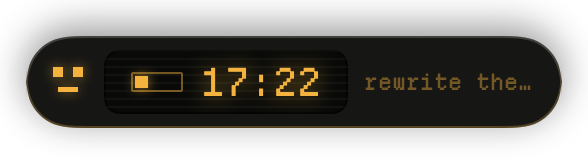
phosphor
An amber CRT in a small piece of hardware. Departure Mono, scanlines, and a pixel face that blinks while you work.
ships with the app
themes
Two ship with the app. The rest are zips : drop one in
~/Library/Application Support/FocusPill/Themes and it installs itself. No
restart. None of them cost anything.
Want something else ? Write your own in a text file, or ask
your AI to do it.
An amber CRT in a small piece of hardware. Departure Mono, scanlines, and a pixel face that blinks while you work.

The plain macOS look. System type, a progress ring, and an emoji that changes with the moment.

Cabinet energy. Press Start 2P, cyan and magenta, and an alien that keeps swapping with a ghost while you work.
An amber CRT in a small piece of hardware. Scanlines, and a pixel face that blinks while you work.
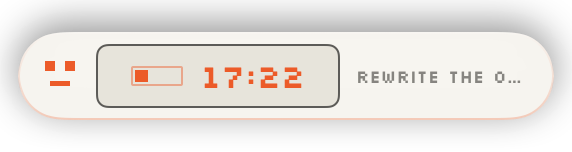
Warm off-white plastic with one signal orange. The only light theme that still reads on a dark desktop.
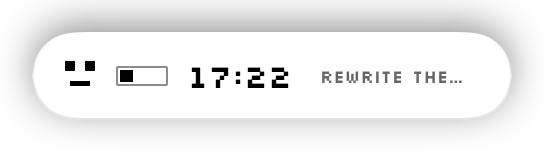
Black and white only, like a 1984 desk accessory. Silkscreen, hard edges, no colour anywhere, not even at the end.
Every theme here is a folder with one theme.json in it. Nothing compiled, nothing hidden.